Opera Mini: Fast Web Browser
- 4.6
- Rating
- 500.00M
- Installs
- Free
- Price

 Analysis by App-foxy
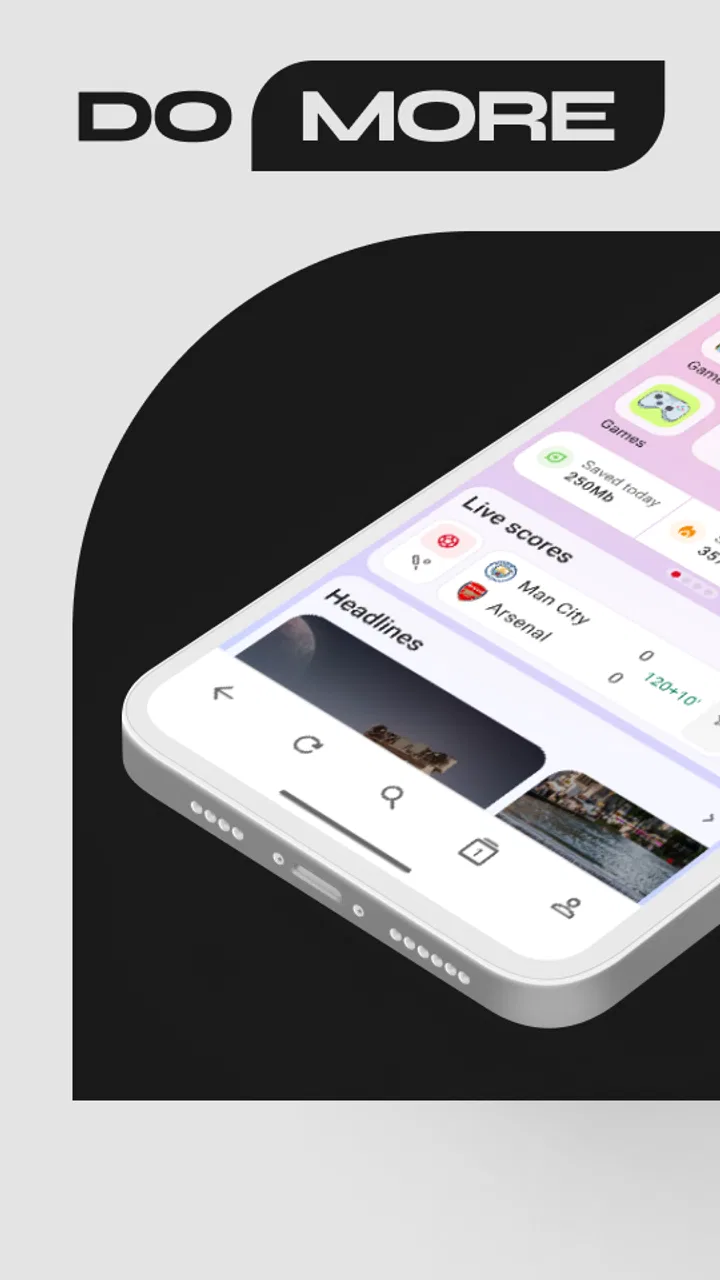
I tend to think of a mobile browser as part of my communication routine, not just a tool for opening pages. It decides how quickly I can check a message link, whether a news story turns into a long distraction, and how much control I have when a weak connection makes every tap feel expensive. That is where Opera Mini makes its case. Developed by Opera, this free communication app is built around a lighter, faster way to browse, with data-saving tools, news, football scores, and downloads gathered into the same experience.
After spending time with it, I see the appeal clearly: it is not trying to replace every full-featured browser for every kind of web use. Instead, it is most useful when I want quick access, less waiting, and a browser that helps me keep ordinary online tasks moving. It has been available since November 24, 2014, and its long presence is reflected in a 4.6 average from around 9.9 million ratings, alongside more than 500 million installs. Those figures suggest a very broad audience, but popularity alone does not make it the right browser for everyone.
My experience is that Opera Mini works best when browsing is connected to a practical goal: opening a shared article, checking a score, looking up a detail during a conversation, or downloading something for later. It is less convincing when I need every modern website to behave exactly as it does on a desktop or a full-scale mobile browser. The difference matters, especially if your online conversations depend on rich web services rather than simple links and quick reading.
You May Also Like

 Blood Strike: 2.5 Anniversary
Blood Strike’s Loadouts Turn Every Drop Into a Tactical Gamble
A close look at Blood Strike’s custom loadouts: how fast access to signature weapons reshapes its battle royale rhythm, rewards preparation, and narrows the gap between fights.

 Pandora - Music & Podcasts
Pandora’s Music Is Easy to Start, but Harder to Recover
Pandora’s strength is its low-effort path from a seed to a station. Its weak spot is how much confidence it asks you to place in connection, setup, and quiet recovery.

 8 Ball Pool
 Is Built on Rivalries, Rematches, and Routine
A close look at the rivalries, rematches, shared routines, and unanswered safety questions that turn a quick pool match into a persistent mobile community.

 Samsung Music
’s Quiet Strength Is Playing What You Already Own
Its reach comes less from spectacle than from dependable access to a personal library. That simplicity is both the app’s strongest retention engine and its ceiling.

 AccuWeather: Weather Radar
AccuWeather Review: A Quick, Clear Forecast for Everyday Decisions
For everyday plans, the best forecast is the one you can understand quickly. AccuWeather makes rain timing, radar, and local conditions easy to act on, with a few trade-offs.

 Hill Climb Racing
Why Hill Climb Racing Still Turns Crashes Into One More Run
A tiny car, a bumpy hill and one more upgrade: Hill Climb Racing keeps resurfacing because its simple chaos makes every near-miss feel personal.
More From Our News Desk
View All News


How Opera Mini Fits Into Everyday Communication
I find Opera Mini most useful when a link or quick question interrupts something else: I can treat the browser as a brief stop, get the detail I need, and return to the conversation. The practical choice is whether that quick check should stay lightweight or become a deeper browsing session; that distinction matters even more when the connection is limited.
Useful when a link should stay a link
A common mobile conversation now includes more than text. Someone sends a news article, a product page, a match update, a public post, or a document, and the discussion pauses while everybody opens it. In that moment, a browser can either keep the conversation moving or create a separate task filled with loading screens, pop-ups, and unrelated recommendations. Opera Mini is well suited to the first situation because it puts speed and reduced data use close to the center of the experience.
I like it for those small interruptions that happen throughout the day. If a friend asks me to verify a detail, I do not necessarily want to open a heavy browser session with many tabs and visual distractions. I want to search, read enough to answer clearly, and return to the conversation. The compact approach here encourages that rhythm. It makes browsing feel more like a quick reply than a commitment to another long session.
The app belongs to the communication category, although I would describe its role more precisely as a communication-supporting browser. It does not replace a messaging app, email client, or social network. Its value comes from reducing the distance between a message and the information behind it. That distinction is important if you are expecting a tool for direct conversations rather than a faster way to reach the web those conversations reference.
A practical scenario on a busy day
Imagine receiving a message while commuting: a friend asks whether a football match has started and sends no link, only the teams’ names. I can open the browser, use its football-focused area, check the current information, and send back a short answer without wandering through several unrelated pages. Later, the same day, I might receive a long article in a group chat. I can open it, read the main points, and save or download what I need instead of keeping the conversation waiting.
That workflow sounds simple, but it changes the tone of communication. I am less likely to answer with “I’ll check later” when the check takes only a moment. At the same time, the app can help me avoid opening a social feed just because I need one fact. The browser becomes a narrow doorway into the information I need, rather than another place competing for my attention.
The data-saving approach is especially relevant when I am away from a reliable connection or trying to be careful with mobile usage. Pages that would normally feel unnecessarily heavy can become more manageable. The trade-off is that a page may not always look or behave exactly as its creator intended. For quick reading, that is often acceptable. For design-sensitive work, interactive forms, or complicated web applications, I prefer a more conventional browser.
Where conversation flow can become less smooth
Opera Mini’s lighter browsing style is not a guarantee that every website will feel effortless. Some pages are built around scripts, animations, live controls, or tightly integrated sign-in systems. When a site depends heavily on those elements, I may encounter a layout that feels simplified or an interaction that takes more patience than expected. That is not a reason to dismiss the app, but it does mean I keep another browser available for demanding websites.
This is also why I would not make it my only browser if my work depends on web dashboards, online editors, complex booking systems, or advanced account management. The faster option is not always the clearer option once a page requires several layers of interaction. Opera Mini is strongest when the purpose is reading, checking, searching, or retrieving something—not when the browser itself must behave like a complete desktop environment.
For conversations, I find the best habit is to use it as a first response tool. Open the link, identify whether it contains what the sender meant, and decide whether the page deserves deeper attention. If it does, I can move to a fuller browser or continue later. This two-step approach prevents a quick message from automatically turning into a long browsing session.
Attention is part of the browsing experience
Every browser affects attention, even when it claims to be neutral. News panels, sports information, downloads, and search access can be useful because they reduce the number of places I need to visit. They can also create more reasons to keep looking. I appreciate that Opera Mini makes quick information easy to reach, but I have to be deliberate about why I opened it in the first place.
My most useful habit is to begin with a specific question. If I open the app to check a score, I check the score before exploring anything else. If I open it to read a shared article, I read that article before moving to recommendations. This sounds like basic discipline, yet the app’s convenience makes it possible to complete the original task quickly, which gives me a better chance of maintaining that boundary.
The news area can be helpful for people who want a compact way to catch up, particularly when they do not want to build a complicated collection of sources. Still, anyone who is already trying to reduce headline overload should treat it as an optional stop rather than a default home for every spare moment. The browser can save time, but it cannot decide which information deserves my attention.
Downloads create a similar tension. Having a direct way to retrieve content is practical when I need to read or use it later, especially before a journey or during a period of unreliable connectivity. But saving something does not mean I will actually return to it. I try to download only what has a clear purpose, then remove old files when they stop being useful. That small routine keeps the convenience from becoming digital clutter.
Boundaries between messages and browsing
One of the strongest reasons to use Opera Mini is that it can help separate communication from consumption. A link arriving in a chat does not have to pull me into an endless chain of tabs. I can treat the browser as a temporary workspace: open the page, gather the information, close the task, and return to the person who sent it.
This is particularly valuable in group conversations. A group can generate a constant stream of links, reactions, clips, and claims. If I open every item immediately, I lose the thread of the discussion. With a fast browser, I can make a quick decision: read now, save for later, or ignore. The speed reduces the friction of checking, while the decision itself protects my time.
I also find it useful when setting a personal stopping point. For example, I might allow myself to read one article during a break, then return to work rather than continuing through related stories. The app’s quick access supports that boundary, but it does not enforce it. People who want strong built-in limits or a highly controlled reading environment may prefer a browser setup with more explicit focus tools.
Privacy and account-sensitive browsing deserve ordinary caution. I would not assume that a lightweight browsing experience removes the need to protect passwords, review where I sign in, or think carefully before downloading unfamiliar files. The app is free and rated for Everyone, which makes it approachable for a wide range of users, but a broad age rating is not a substitute for good online judgment.
Small habits that make the app more effective
My first tip is to use the data-saving mode intentionally rather than treating it as a magic setting. It is most valuable when I am reading text-heavy pages, checking information quickly, or working with a limited connection. When a website’s exact layout or full interactivity matters, I switch expectations and use a fuller browser instead of repeatedly fighting a simplified page.
My second tip is to use the football section as a focused shortcut, not as a general entertainment feed. If a match is part of a conversation, the dedicated information can save several searches and help me answer promptly. Once I have the detail I need, I leave. This keeps a useful feature from becoming another source of passive scrolling.
My third tip concerns downloads: I decide the destination before saving anything. If I know I will read a page during travel, downloading it can be sensible. If I am saving it merely because it looks interesting, I usually create a future sorting task. Opera Mini is good at making retrieval easy; the user still has to manage the consequences.
A fourth useful workflow is to keep the browser’s role narrow during work hours. I use it for links that arrive through communication channels, quick searches, and urgent checks. For research that requires comparing many sources, writing, or managing several accounts, I move to a browser designed around a broader workspace. This division makes both tools feel clearer and reduces the temptation to let every message dictate my attention.
Who should choose it—and who should skip it
I would recommend Opera Mini to someone who values quick browsing on a phone, wants to reduce the burden of heavy pages, or often checks information while moving between conversations. It is a good fit for readers, sports followers, travelers, students looking up facts, and anyone who prefers a practical browser over a feature-packed environment that invites constant exploration.
It is also a sensible choice for people who frequently receive links through messaging apps and want to decide quickly whether those links matter. The free price removes a financial barrier, and the Everyone rating makes it suitable for a broad household audience. The large installed base and substantial rating history also make it feel like an established option rather than an experimental utility.
I would skip it as my primary browser if I rely on complex web applications, need pixel-perfect page rendering, or spend much of the day switching between demanding online tools. I would also look elsewhere if my main goal were advanced privacy controls, deep desktop synchronization, or a browser experience built around extensive customization. Opera Mini’s strength is focused efficiency, not maximum control in every direction.
Compared with a typical full browser, it feels more purposeful and economical, but sometimes less complete. Compared with a dedicated news or sports app, it offers more flexibility because I can move from a score or headline to the wider web without changing tools. Compared with a messaging app, it does not carry the conversation itself; it simply makes the information inside that conversation easier to reach. That middle position is exactly why I find it useful.
My social verdict
Opera Mini changes the rhythm of communication in a modest but noticeable way. It helps me answer link-based questions sooner, check a fact without opening a large digital detour, and treat browsing as a short supporting action rather than an automatic destination. Its data-saving focus, news access, football scores, and download tools give it a practical identity that goes beyond simply loading pages.
There is still a cost to its lighter approach. Some websites may feel less complete, and the convenient content areas can compete for attention if I use them without a clear purpose. I would not rely on it for every demanding web task, and I would keep a fuller browser nearby for pages that require advanced interaction. That balanced setup gives me the best result.
For me, the deciding question is not whether it has every feature of the biggest browsers. It is whether I need a fast, free way to handle the small web tasks that surround daily conversation. If the answer is yes, I think Opera Mini is worth trying. Its real advantage is not just speed; it is the chance to make browsing feel proportionate to the question being asked. That makes it a strong everyday companion for quick checks, careful data use, and clearer boundaries between staying informed and getting pulled online.
FAQs for Opera Mini: Fast Web Browser
01What makes Opera Mini different from other web browsers?
Opera Mini is designed to be a fast and lightweight web browser, particularly useful for users with limited data plans or slower internet connections. It uses advanced compression technology to reduce data usage, making browsing faster and more efficient. Additionally, it includes features like ad-blocking and a built-in VPN for enhanced privacy.
02How does Opera Mini save on data usage?
Opera Mini employs a unique data compression technology that can reduce data consumption by up to 90%. This means that when you browse websites, images, and videos, they are compressed before reaching your device, allowing for faster loading times and less data usage overall. This feature is particularly beneficial for users with limited data plans.
03Is Opera Mini secure for browsing sensitive information?
Opera Mini includes several security features such as a built-in ad blocker and a free VPN service to enhance privacy. However, it’s important to note that while it provides a level of security, no browser can guarantee complete protection. Users should still practice safe browsing habits and use additional security measures when dealing with sensitive information.
04Can Opera Mini sync with other devices?
Yes, Opera Mini allows users to sync bookmarks, tabs, and browsing history across multiple devices. By signing into your Opera account, you can ensure that your browsing experience is seamless, whether you’re switching between your phone, tablet, or computer. This feature is convenient for users who frequently move between devices.
05Are there any limitations to using Opera Mini?
While Opera Mini is excellent for saving data and providing a fast browsing experience, it may not support all website functions due to its compression technology. Some websites might not display as intended, and certain interactive elements may not work properly. It's best suited for users who prioritize speed and data savings over full website functionality.
Pros
- Fast page loading times.
- Data-saving features.
- Built-in ad blocker.
- User-friendly interface.
- Customizable themes.
Cons
- Limited extension support.
- Occasional page rendering issues.
- No desktop sync option.
- Fewer privacy features.
- Ads in free version.

Opera Mini: Fast Web Browser
Gallery